New: Dark Sky Location Maps, Light Pollution Overlay, and Galactic Core Arc
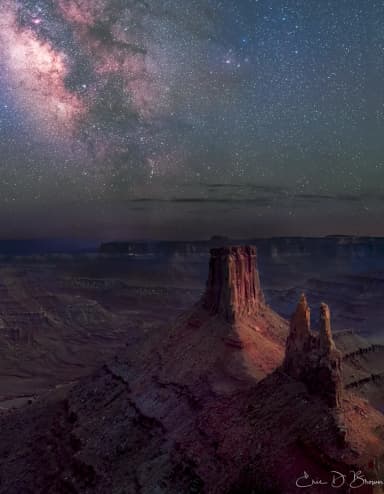
Milky Way Planner now shows light pollution data directly on every map, 400+ dark sky locations with individual planning pages, and a galactic core arc showing exactly where the Milky Way will appear in the sky.
Several features I've been working on for a while are now live: a light pollution overlay on every map in the planner, a directory of 400+ certified dark sky locations with individual planning pages, a galactic core arc that shows you exactly where the Milky Way will appear in the sky from your location on any given night, and driving routes with public sharing in the trip planner. All of these are designed to make astrophotography planning faster and more visual.
Light Pollution Overlay
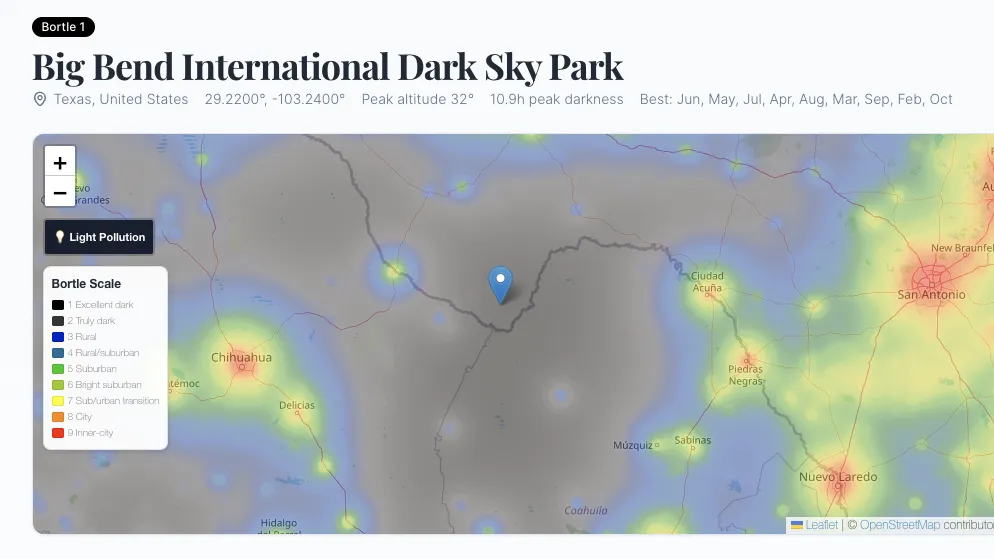
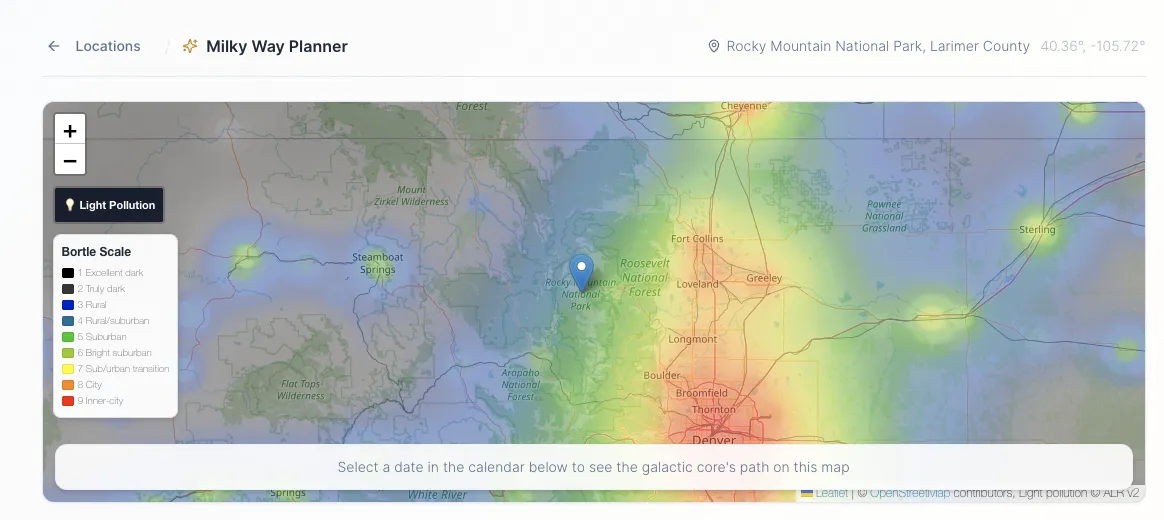
Every map in Milky Way Planner now has a light pollution toggle. Click it and you get a Bortle scale overlay showing sky brightness across the entire region, derived from satellite radiance data.
This shows up on:
- The Milky Way Planner map when you are planning a shoot
- The Trip Planner overview map for multi-stop trips
- The Dark Sky Location detail pages
- The standalone Light Pollution Map page
The overlay uses the same color scale as the Bortle classification: black for pristine dark skies, red for inner-city light pollution, with everything in between color-coded so you can see at a glance how dark your location actually is.
You can see which direction the nearest light dome is coming from, how far you'd need to drive to reach darker skies, and whether a particular horizon direction is going to have skyglow problems for your composition.
The tile data comes from the Artificial Light Ratio v2 dataset, which uses satellite measurements to map sky brightness globally.
400+ Dark Sky Locations
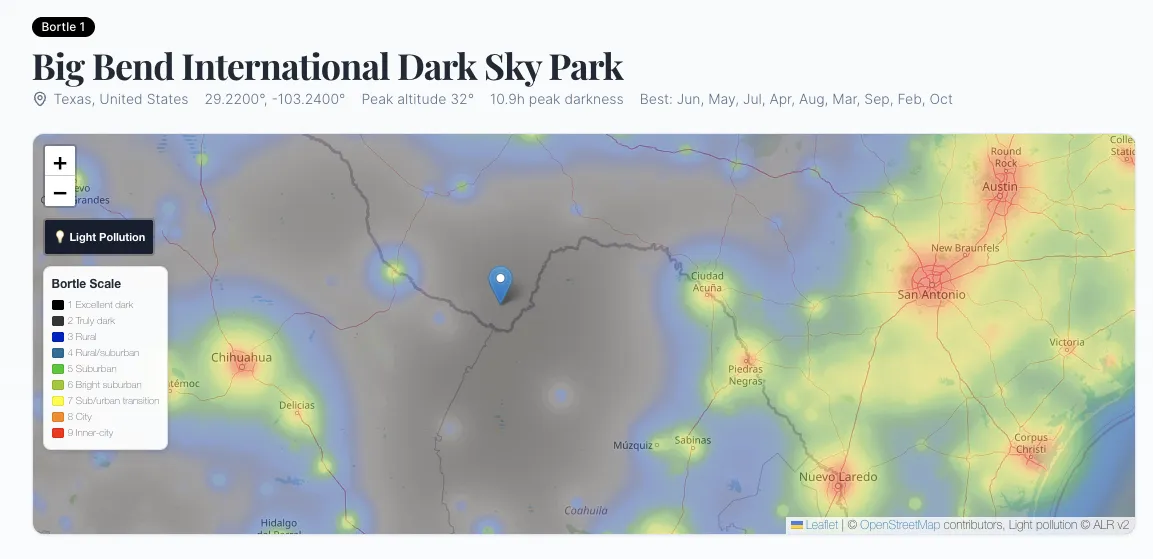
We now have individual pages for over 400 International Dark Sky certified locations worldwide, including International Dark Sky Parks, Reserves, and Sanctuaries. Each location page includes:
- Bortle class rating based on actual light pollution tile data at that coordinate
- Best months for Milky Way photography, calculated from galactic core visibility windows
- Peak galactic core altitude so you know how high the Milky Way gets from that latitude
- Interactive map with the light pollution overlay so you can see the surrounding sky quality
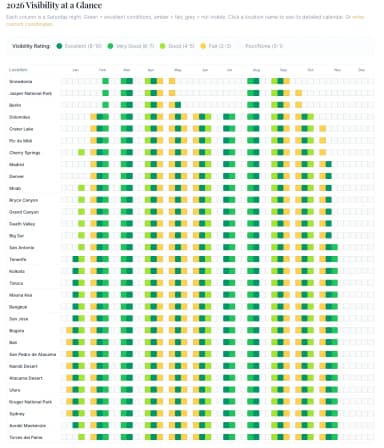
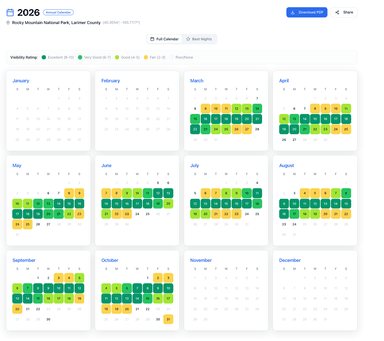
- Monthly Milky Way calendar showing nightly visibility ratings
You can browse the full directory at Dark Sky Locations and filter by country, state, Bortle class, or best viewing month. Each location links directly to the planner so you can start planning your shoot with one click.
If you're deciding between Cherry Springs State Park and a spot in the Adirondacks, you can compare Bortle ratings, see which months have better core visibility, and check how high the galactic center gets at each latitude — all on the same page, without opening five different apps.
Galactic Core Arc on the Map
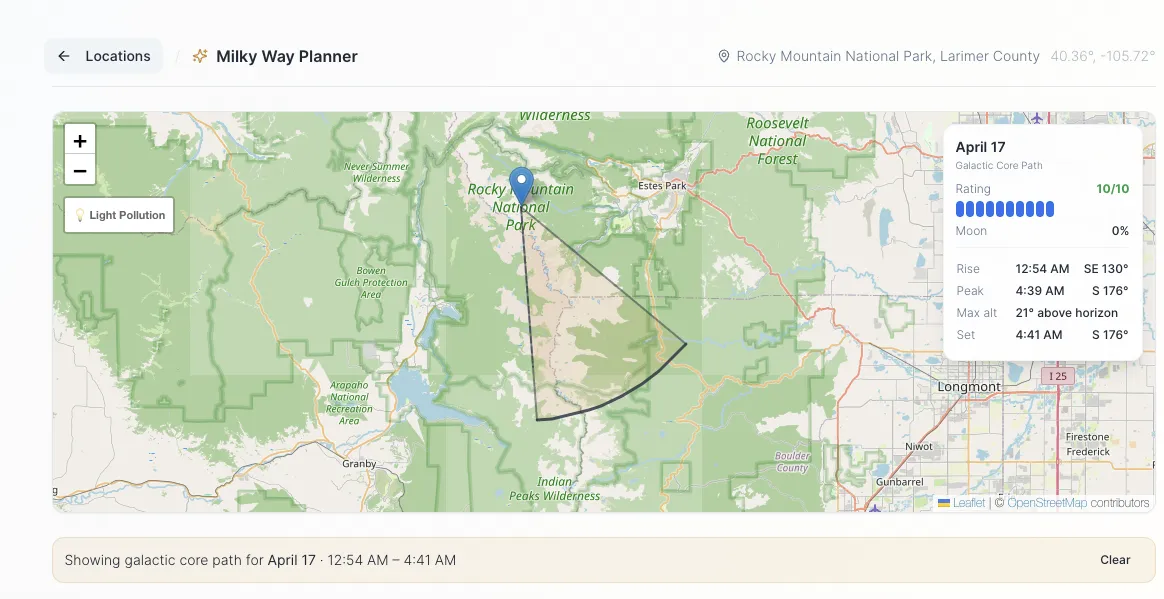
This is the feature I'm most excited about. When you select a date in the Milky Way Planner, the map now shows the galactic core's path across the sky as an arc overlay.
You can see:
- Where it rises on the horizon (bearing line from your location)
- The arc it traces across the sky throughout the night
- Where it peaks and at what altitude
- Where it sets on the horizon
- The entire sweep area is shaded so you can visualize the section of sky you need clear
This makes composition planning much easier. Instead of just knowing "Milky Way visibility is good tonight," you can see that the core rises in the southeast, peaks due south at 42 degrees altitude, and sets in the southwest. That tells you whether you need a clear southern horizon, whether that mountain range to the south is going to be a problem, and which direction to point your camera at different times during the night.
The legend panel shows the date, visibility rating, moon phase percentage, and exact rise/peak/set times with compass bearings. Select different dates in the calendar below the map and the arc updates instantly.
Trip Planner: Driving Routes and Public Sharing
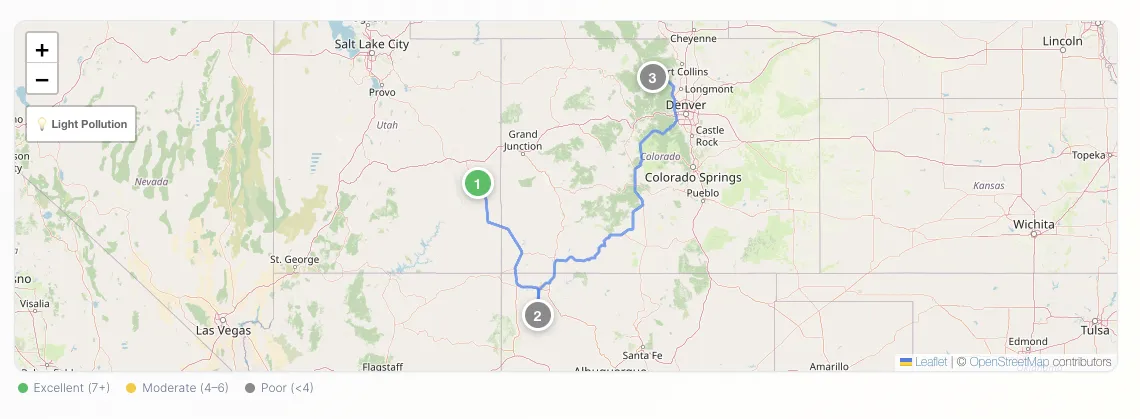
The Trip Planner now shows driving routes between your stops. You can see the route on the map as you build a multi-location itinerary, which makes it easier to plan realistic shooting trips when you're hitting multiple dark sky locations in one outing.
Trips can also be shared publicly now. Build your itinerary, grab the share link, and send it to anyone you're shooting with. They get the full trip with locations, dates, and driving routes without needing an account.
Light Pollution Page
There's also a standalone Light Pollution page with a full-width US map, an explanation of the Bortle scale, and guidance on finding dark skies near you. If someone searches for "light pollution map" or "dark sky map," they land here, see their area on the map, learn what their Bortle class means for shooting, and find out they can plan their whole season with one tool.
What's Next
I'm working on a few things:
- Weather integration on the planning pages, so you can see historical cloud cover and transparency data alongside the astronomical conditions
- More locations in the dark sky directory, including community-submitted spots that may not have official certification but have great skies
If you haven't tried the planner yet, the free version shows the full monthly calendar with nightly visibility ratings for any location. Premium adds the annual calendar, moon planner, trip planner, PDF exports, and weather data.
Clear skies. Eric