Why Export a Milky Way Calendar (PDF/Excel) for Multi-Stop Trips

Exports matter when a Milky Way plan has to leave the browser: a second driver, a workshop roster, a glove compartment, or a season spreadsheet. Here is when to export and when the free calendar is enough.
I used to plan multi-stop Milky Way trips as a pile of browser tabs, screenshots, and a notes app that went sideways the minute we lost signal on a dirt road. The free calendar on milkywayplanner.com already answers the hard astronomy questions for one pin. Exports matter when the plan has to leave the browser: a second driver, a workshop roster, a glove compartment, or a season spreadsheet you refuse to rebuild every Sunday night.
The practical rule I use: export a milky way calendar when more than one place, more than one person, or more than one week depends on the same timing data. PDF for reading offline. Excel or CSV when you need a milky way trip planner spreadsheet you can sort, merge, or hand to someone who lives in grids. ICS when you want the dark windows on the phone calendar you already check. If you are deciding one local night this month, the free on-screen calendar is usually enough without a download.
Premium on the site is $25/year and includes PDF, Excel/CSV, calendar exports, the multi-stop Trip Planner, and a fuller yearly view. I will say when that stack helps and when you can skip it.
What "export" means in real trip language
A yearly milky way calendar on screen is great for spotting patterns: where the strong nights cluster, how a latitude shifts the season, whether June is thin at your pin. An export is that same planning data in a form that survives the car.
PDF is the readable itinerary. I use it when someone on the trip does not want another login, when I want a printout in the glove box, or when cell coverage is a rumor. For multi-stop trips, a PDF that carries dates, stops, and visibility context beats texting "wait, which night was Moab?" at midnight.
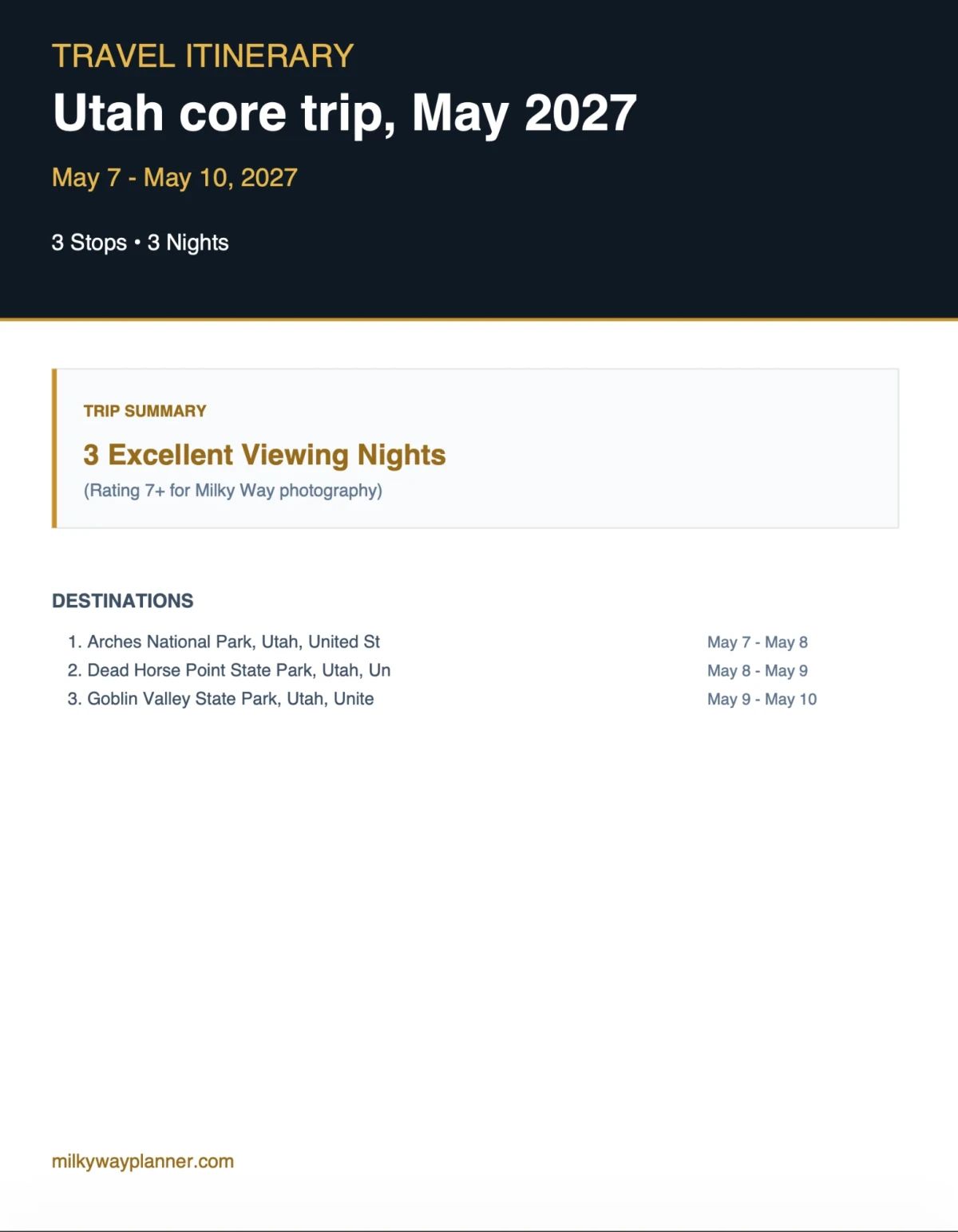 The glove-box version of a three-stop plan.
Excel and CSV are for people who already think in spreadsheets. You can merge shoot windows into a master season plan, filter by rating, share a sheet with a co-planner, or drop columns into whatever system your workshop or club already uses.
 The same trip as a sheet you can sort, merge and share with a co-planner.
Calendar sync (ICS) is for reminders. Core rise, dark window, stop name: on the phone, on the watch, without opening the planner while you are already late leaving camp.
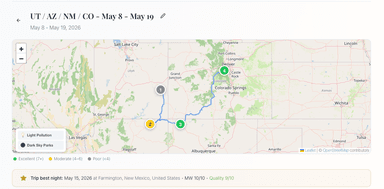
On multi-stop trips, the Trip Planner side of Premium is what ties those exports together: several locations, date-specific visibility per stop, one itinerary you can export instead of five separate calendars you try to keep straight by memory. I walked a real Southwest example in the 12-day trip post.
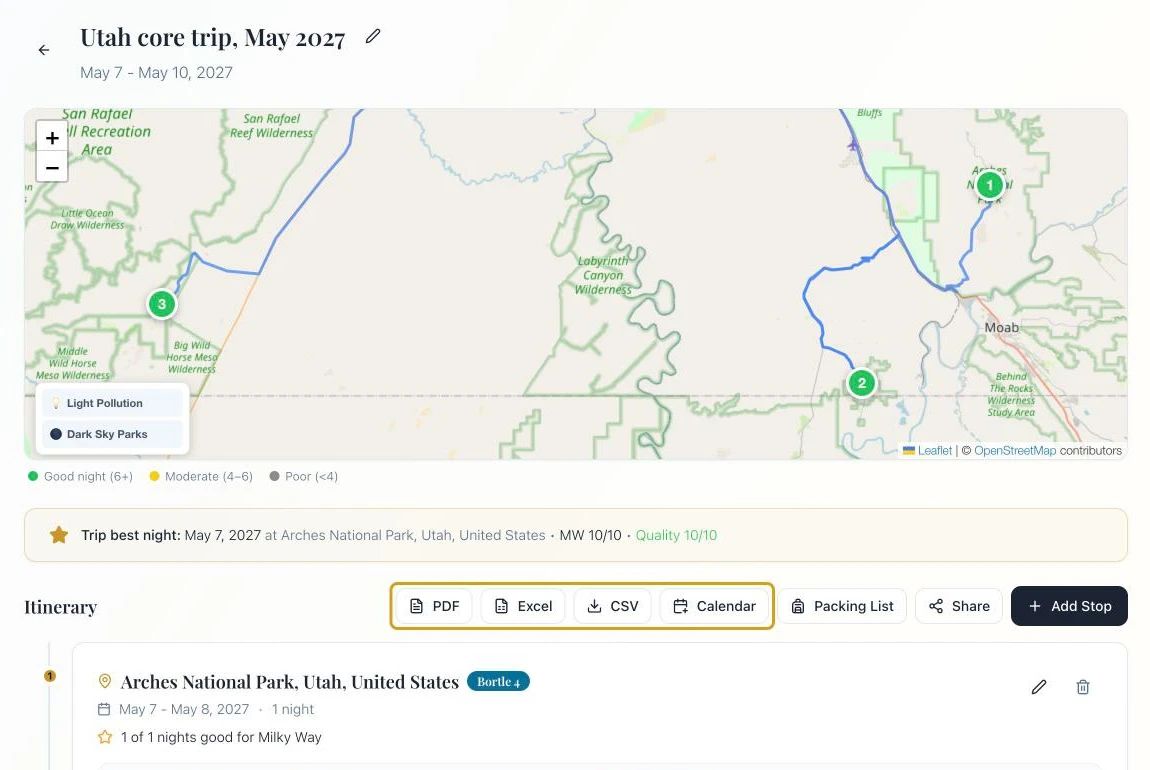 Every export starts from the same trip, so the PDF, the sheet and the calendar all agree.
Multi-stop use cases that actually show up
Road trips with weather escape hatches. You plan four nights in one park and keep two alternate pins a few hours away. In a spreadsheet you can see which alternate still has a workable window if monsoon kills the primary. On a phone browser with spotty data, that comparison gets ugly fast.
Shared trips. Two photographers, different sleep tolerance, same rental car. A PDF or sheet means you argue about composition targets, not about whose screenshot is newer. If you are dragging non-photographer travel partners along for the scenery days, a clean PDF also explains why you care about specific nights without making them create an account.
Workshop and club logistics. Leaders already juggle permits, lodging, and skill levels. Handing the group a single exported plan with nightly windows cuts the "what time does the core rise?" text thread. Students can still open the live planner later. The export is the shared baseline.
Season-scale PTO planning. A yearly milky way calendar export helps when you are blocking vacation days across months, not just packing for next weekend. You mark the dark stretches that matter at the latitudes you can reach, then protect those weeks before someone else fills the family calendar. Screen-only works until the third revision. Spreadsheets forgive revision.
Offline field use. National parks and basin roads still eat signal. I like having the critical nights on paper or in a downloaded file before I leave pavement. That sounds old-fashioned until you are standing at a junction trying to remember whether the strong night is tonight or tomorrow.
When the free calendar is enough
Plenty of nights do not need an export workflow. If you live near a dark site, you are going alone, and you are picking among the next two weeks, open the free calendar, read the ratings, and go without building a spreadsheet.
If you are learning the season for one home latitude, stay on the yearly and monthly views in the browser. Learn what milky way latitude does to your summer. Read the best-time hub for hemisphere framing. If your "trip" is one stop and one dark-moon weekend, Premium can still be nice for phone calendar sync, but it is optional. I would rather you spend the energy on scouting the foreground and checking the weather than on building a sheet with six empty columns.
Also be honest about complexity theater. A color-coded milky way trip planner spreadsheet feels productive, and it still does not add contrast to the sky. If the export process takes longer than refining the plan, stop, use the screen, and leave when the ratings and the forecast agree.
When I export
Exporting a PDF or Excel file is for when you're actually going somewhere. You've picked the stops and the dates, and you want something that says here's where I'm going and which nights are worth staying up for. I build the trip in the planner first, then export it. The multi-night trip planning lesson covers how I pick the stops. If the plan changes, I export it again.
I built exports because I was tired of rebuilding the same timing tables by hand. If your plans are still single-site and short, skip the file download. If your plans look like a route with dates and other humans depending on them, export once before the signal dies.
Short answers
Why export a Milky Way calendar to PDF or Excel? So the plan survives offline: glove box, second driver, workshop roster, or a season sheet you will not rebuild every week. The free on-screen calendar is enough for one local night.
When does a spreadsheet beat the app screen? When more than one place, more than one person, or more than one week depends on the same timing data, or when you need to sort, merge, or hand the plan to someone who lives in grids.
How do exports help multi-stop trips? They keep several stops and date-specific windows in one itinerary instead of a pile of tabs and screenshots.
What should an export contain? Dates, stops, and visibility context you are willing to drive for, with PDF for reading, Excel/CSV for editing, and ICS for phone reminders. Re-export when the itinerary changes.
How do Premium yearly view and trip export fit? Optional when the plan outgrows a single browser tab: fuller yearly scanning, multi-stop Trip Planner, and file exports. Skip them if you are still choosing one nearby weekend alone.
Related reading: milkywayplanner.com · 12-day Southwest trip walkthrough · Multi-night trip planning · Best time to photograph the Milky Way (live)