Milky Way Planner Apps Compared: PhotoPills, Planit, MW Tonight, and Free Web
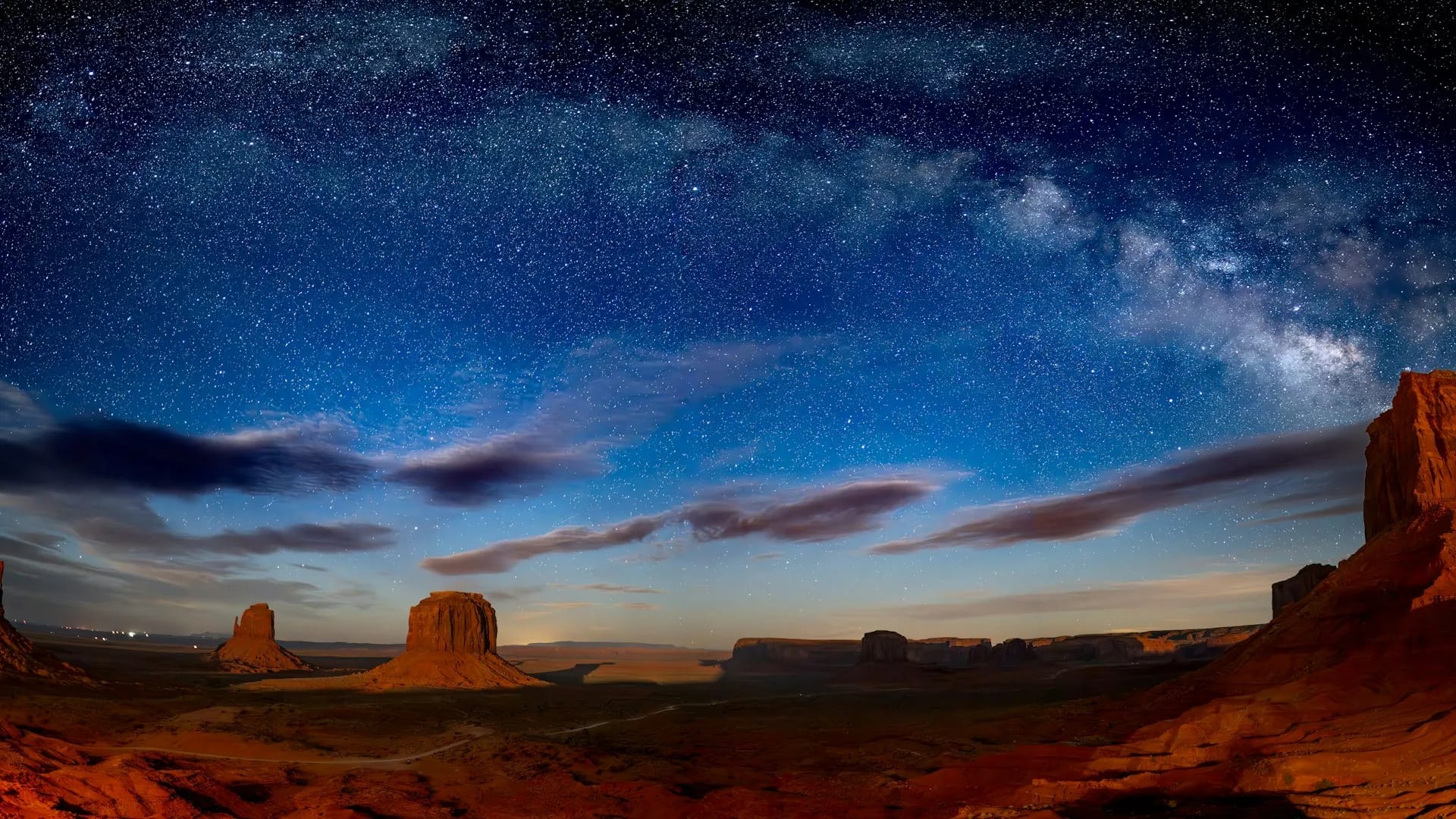
Photo by Joseph Corl on Unsplash
Honest comparison of PhotoPills, Planit, Milky Way Tonight, and free web Milky Way planners, including when each tool wins and how a free calendar fits.
I got tired of bouncing between apps to answer one question: is this night worth the drive? One tool would show the moon, another would show an AR overlay for a rock arch, and another would grade nights in a way I liked but locked the workflow into a phone. None of that made those tools bad. It made the job fuzzy, because "best Milky Way planner app" is usually several jobs wearing one search query.
The comparison in plain language: PhotoPills and Planit win when you need on-location visualization and composition planning (AR, sun/moon/Milky Way alignment to a specific foreground). Milky Way Tonight is strong when you want night grades and a dedicated MW planning feel in an app. A free web planner like milkywayplanner.com wins when you want a location calendar with nightly ratings, galactic core timing, and moon context in a browser without buying another subscription first. Many people keep an app for field composition and a web calendar for trip logistics. I use more than one tool. The useful question is which job you are doing tonight.
I am going to be direct about my own product in this piece, and I am also going to say where the paid apps still beat me, because that is the comparison I want to read.
You are comparing jobs, not trophies
Before PhotoPills vs Planit turns into a fan thread, separate the work:
- Pick candidate nights months out (moon window, core season, darkness length at your latitude).
- Confirm a specific pin and hour (core altitude, direction, moon up or down).
- Line the sky up with a foreground (arch, peak, shoreline) once you know the night is good.
- Keep a season or trip board so PTO and lodging follow the sky, not the other way around.
Most disappointment I hear is someone buying a powerful composition app and still guessing the calendar, or using a great night-grade app and still arriving to a foreground that faces the wrong way. Those are different failures. They need different tools.
Latitude and season still sit under all of this. If you are unclear whether June even goes dark at your pin, read Milky Way photography in June by latitude before you optimize AR overlays. No planner app fixes a night that never reaches astronomical darkness. For the evergreen season rule (hemisphere and latitude before any app debate), see best time to photograph the Milky Way.
PhotoPills and Planit: when AR and composition planning win
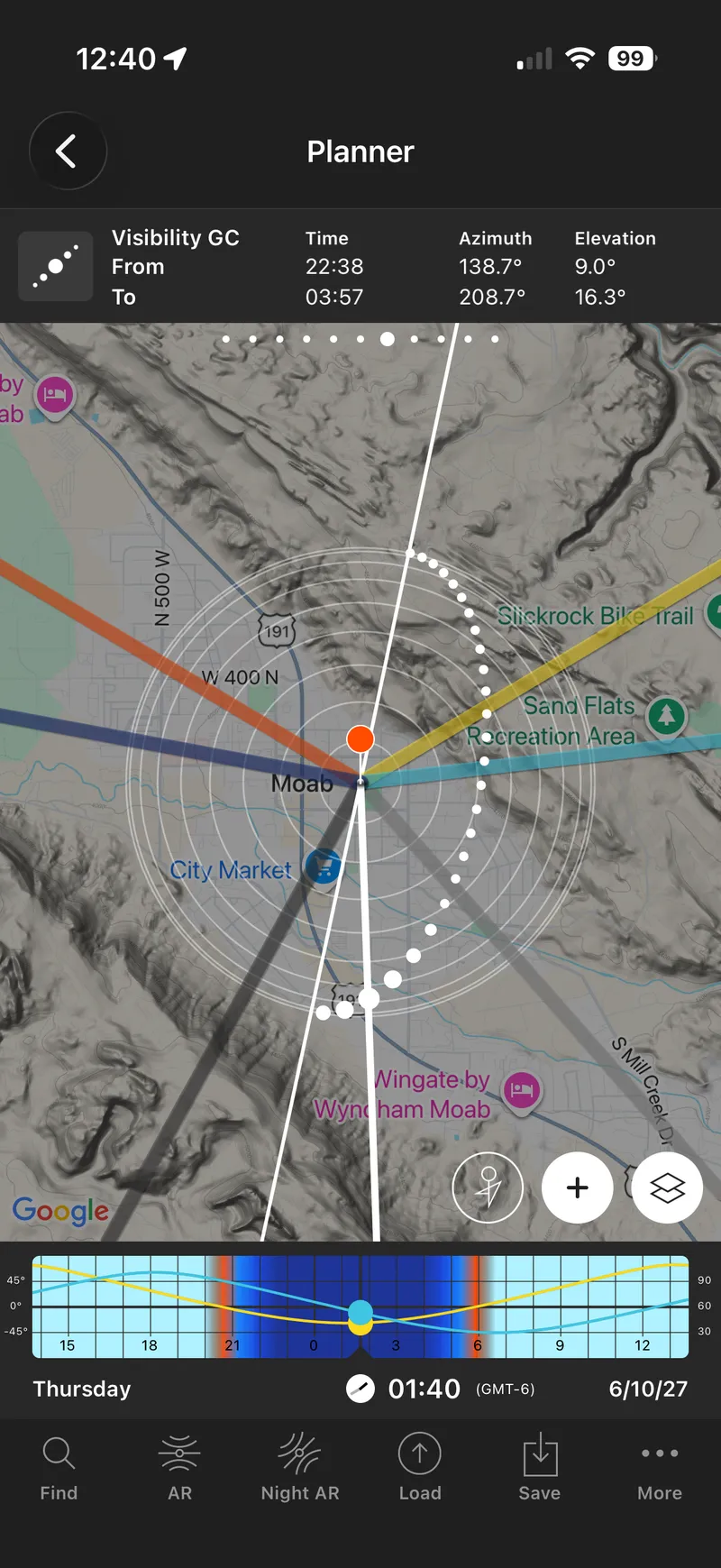
PhotoPills is the tool I reach for when I already know the night is promising and I need to see how the Milky Way will sit against a real feature in front of me. The planner panels, night AR, and the habit a lot of nightscape folks already have around it make it excellent for that last mile. If I stand here at 1:10 a.m., does the core clear the arch? It is a phone-first workflow with a learning curve, and it earns that curve when composition is the blocker.
Planit (Planit Pro and related Planit tools, depending on platform) plays in a similar lane: serious planning for night and outdoor photography, with strong emphasis on visualizing sun, moon, and Milky Way against terrain. People who live in that app often like the map-centric planning and the way it supports scouting a scene before the drive. If your pain is geometric alignment to a foreground, Planit is in the conversation for the same reasons PhotoPills is.
I do not crown a single winner between them here. Photographers argue that thread with the loyalty usually reserved for camera brands. What I will say is narrower: if your question is PhotoPills vs Planit for Milky Way work, you are usually deciding which visualization workflow you prefer once the night is already on the shortlist. Neither one replaces checking whether the moon and darkness cooperate at your coordinates. Both can be overkill if all you needed was a clean answer to "which weekend in May is dark enough?"
In the Moab trip example, I say this out loud: milkywayplanner.com for core timing and candidate nights, PhotoPills when I need to visualize the core against a specific foreground. That pairing is how I actually work, and my rundown of essential tools for planning your astrophotography sessions covers PhotoPills in more detail. It is also a quiet admission that one app rarely owns the whole stack.
Milky Way Tonight, free web calendars, and where MWP fits
Milky Way Tonight has a clear identity: Milky Way-focused planning with night grades that many shooters like as a quick read on whether to go. If you want an app that feels built around MW nights rather than general photo ephemeris features, it is a fair place to look. People are often asking for something adjacent: another way to see rated nights, sometimes on the web, sometimes with a different rating style or calendar layout.
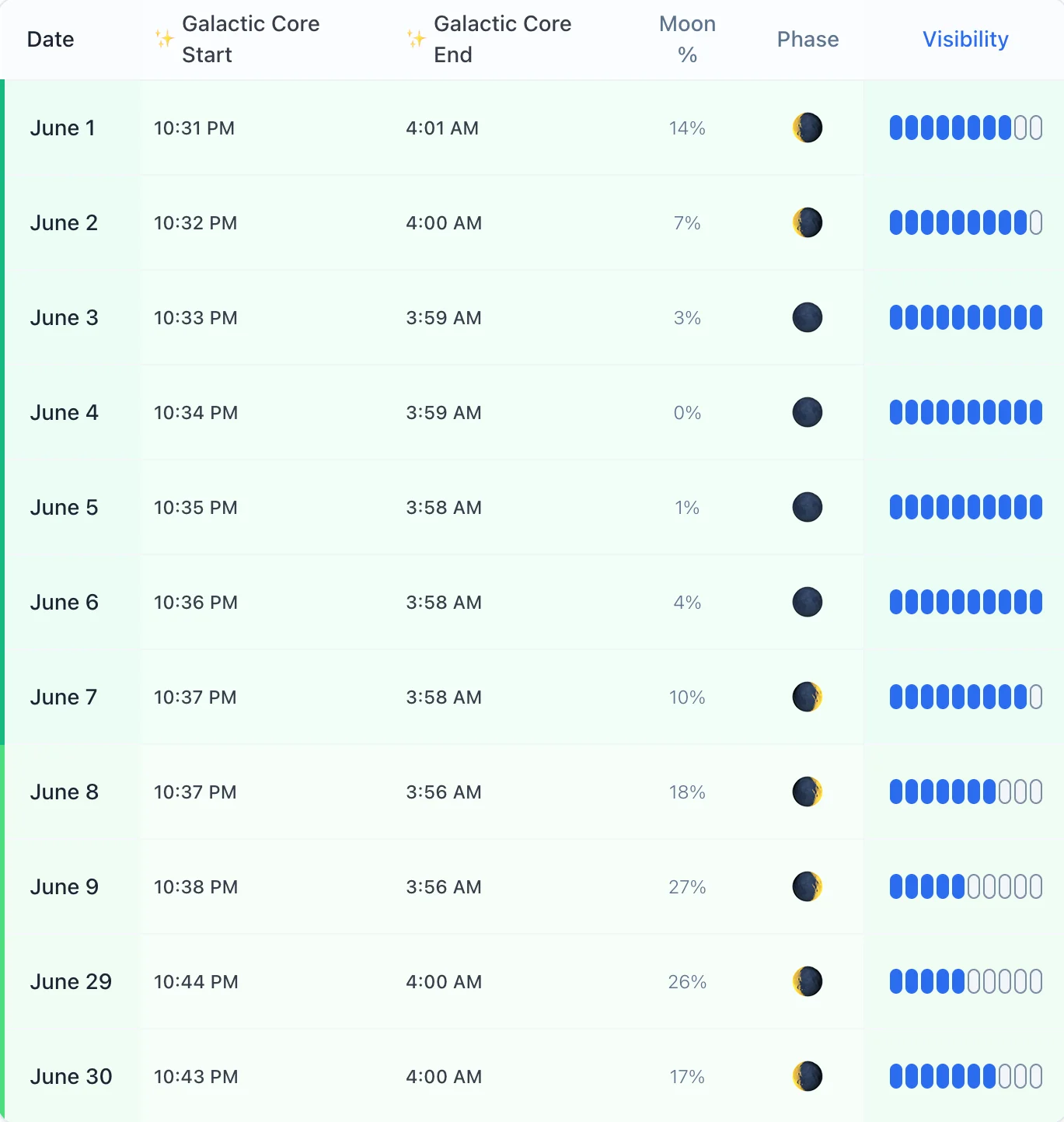
That is the lane I built for myself on the web. Milky Way Planner is a free browser calendar for a location you choose. You get nightly visibility ratings that combine galactic core timing, moon, and darkness, plus the timing detail you need to decide if a night is worth the trip. No account required to generate a location calendar. The 2026 Milky Way calendar adds a year-style view across popular dark sites when you want Saturday-level planning without starting from a blank map. For dated season strategy, the 2026 season planning guide walks new moon windows in prose.
Premium on my side is optional and specific: Moon Planner for lunar rise/set direction and supermoon tracking, Trip Planner for multi-stop plans, and exports. That is useful when you have outgrown one-off checks. It is not required to answer "is next weekend any good at this pin?"
Other free web options exist in the broader astro-planning world (ephemeris sites, light pollution maps, generic astronomy calendars). I will not pretend I surveyed every URL. What I care about for Milky Way shooters is whether the tool shows core, moon, and darkness for your coordinates in a way you can act on. A pretty star chart that ignores moon washout is how I used to fool myself.
Side-by-side by job
This is the matrix I wish I had before I bought another annual sub. Cells are about fit for the job, not a score. Prices change; verify at the vendor before you pay. I am not inventing ranks for a leaderboard.
| Job | PhotoPills | Planit | Milky Way Tonight | Free web (MWP) |
|---|---|---|---|---|
| Pick best nights at a real pin | Strong once you learn the panels; moon and MW tools are deep | Strong map-centric planning for a chosen site | Strong if you like graded MW nights in an app | Strong: location calendar rates core timing, moon, and darkness together in a browser |
| AR / composition against a foreground | Excellent (night AR, alignment to features) | Excellent (terrain / visualization lane) | Not the main strength | Weak / none: no AR; use an app for the last mile |
| Offline field use | Phone app you already carry | Phone app (platform-dependent) | Phone app | Needs browser or a prior export; not a field AR tool |
| Multi-stop trip calendar | Possible with discipline; not the primary metaphor | Possible; map-heavy | Night grades help; multi-stop logistics vary | Strong for several pins and date windows; Premium Trip Planner when the route grows |
| Share with a non-photographer travel partner | Screenshots / explain the UI | Same | Same | Strong: link or export a calendar someone can read without learning the app |
| Price model (qualitative) | Paid app / subscription model | Paid app / subscription model | Paid app model | Free location calendar; optional Premium for exports, trip/moon tools |
Read left to right for the job you have tonight. If two columns both say Strong, keep the one you will actually open. I still open PhotoPills when the night is already on the shortlist and I need the core against a rock. I still open the free web calendar when I am picking weekends months out.
How I choose a tool for the week I am planning
When I only need to mark dark weekends for a season, I start on the free web calendar at milkywayplanner.com. When I am on location and need AR against a foreground, I use PhotoPills (or Planit, if that is the app already in my hand). When a friend swears by Milky Way Tonight's grades, I do not argue them out of a workflow that gets them under dark skies. I ask whether they also checked foreground direction and latitude darkness. The best Milky Way planner app is the one that closes the gap you actually have.
A simple way to decide starts with matching the tool to the gap:
- Calendar and ratings first: free web planner (MWP) or an MW-focused grading app like Milky Way Tonight.
- Foreground geometry first: PhotoPills or Planit.
- Moon as the subject (not the obstacle): a dedicated moon planner workflow (I use my own Premium Moon Planner for rise/set direction when I am shooting the moon on purpose).
- Multi-stop trip board: trip planning features (MWP Premium Trip Planner, or whatever itinerary system you already trust) after the nights are chosen.
I am not here to trash-talk tools that help people get out under the stars. I care about fewer empty drives. If a paid app's AR saves a composition, use it. If a free web calendar and night ratings get your PTO on the right weekends, use that. If you need both, use both. Show up when the core is up, the moon is out of the way, and the night is actually dark. The icon on your home screen matters less than showing up on a night that can actually deliver.
Recommendation by scenario
Weekend local shoot. Start on the free web calendar for your pin. If the ratings look solid and you already know the foreground, you may not need a paid app that night. If you are lining the core up with a specific tree or arch, open PhotoPills or Planit after the calendar says go.
Multi-park road trip. Use a web calendar (and trip tools if you have several stops) to lock dark windows and lodging first. Keep PhotoPills or Planit for on-location composition once you arrive. Mixing those jobs in one phone panel is how I used to lose track of which night belonged to which park.
Workshop or group lead. You need a plan other people can read. A browser calendar or export beats texting screenshots. Use an AR app on site for teaching composition. The directory and planning tools on milkywayplanner.com are aimed at that split: nights that hold up, then field craft.
Beginner still learning the sky. Do not buy three apps on day one. Learn core season, moon, and darkness on a free location calendar. Add PhotoPills or Planit when composition is the blocker, not when you are still guessing which weekend is dark. Milky Way Tonight is a fair alternate if you prefer graded nights inside an app instead of a browser.
None of those scenarios need a dunk contest. They need the right tool for the gap in front of you tonight.
Short answers
PhotoPills vs Planit for Milky Way? Both are strong for visualization and composition planning. Pick the workflow you will actually learn, and use a calendar/ratings tool alongside either one for moon and darkness.
What is the best Milky Way planner app? It depends on the job: AR/composition apps win on location alignment, night-grade and web calendar tools win for choosing weekends, and many people need one of each.
Do I need AR to plan a dark-sky trip? No. AR helps when you already know the night is good and need the sky lined up with a foreground. Calendar and ratings tools answer whether the night is worth the drive.
Is there a free Milky Way planner? Yes. Milky Way Planner's location calendar is free to use in the browser with no account required for basic planning. Premium adds moon/trip tools and exports if you want them later.
Related reading: milkywayplanner.com · Season 2026 · Moab trip example · Best time hub · 2026 calendar · June latitude